
What Is a Real Estate CRM? A Guide for Agencies
What is a real estate CRM and what should it do? Seven features to look for when choosing client and listing management software for your agency.
The two most valuable things in a real estate agency are its listings and its clients. Most agencies keep them in different places: listings in a spreadsheet, client notes on each agent's phone, offers in WhatsApp groups. A real estate CRM is software built to bring that scattered information into one system.
What does a real estate CRM actually do?
CRM stands for customer relationship management. A real estate CRM adapts that idea to how property work actually runs. At its core, it lets you do the following in one place:
Client records: Contact details, needs and conversation history for buyers, sellers, tenants and property owners
Listing records: The properties you hold, their status, and every activity linked to them
Matching: Seeing which client fits which listing
Follow-up: Remembering who to call and which viewing took place
Reporting: Seeing how much work the office and each agent is producing
How is a real estate CRM different from a general CRM?
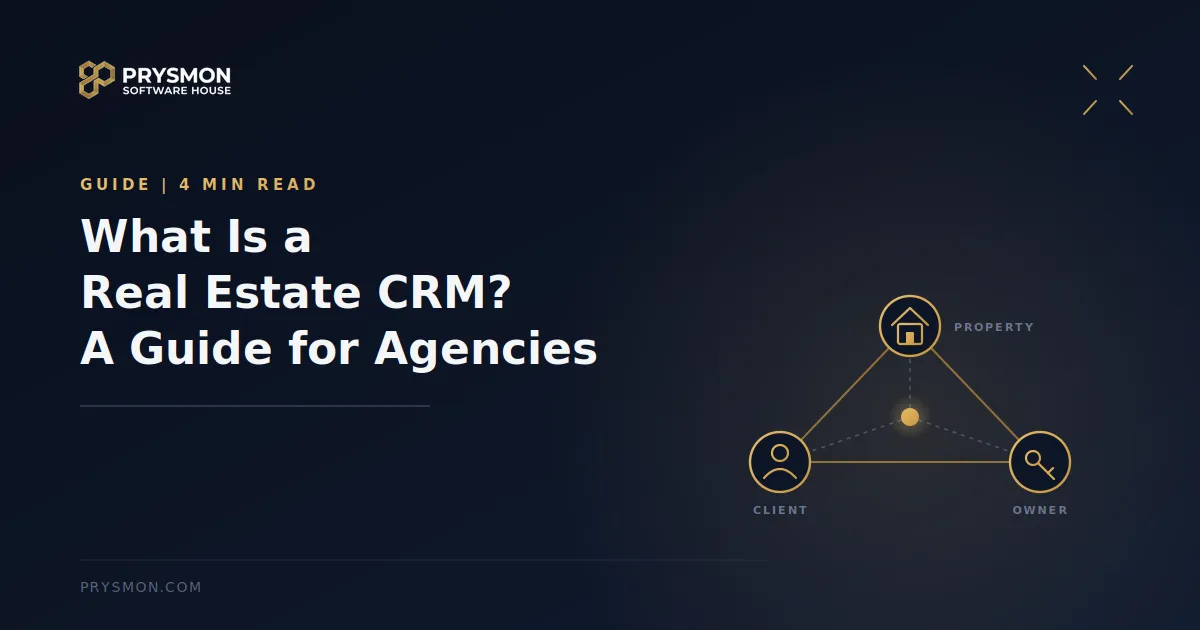
In a general-purpose CRM, the core concepts are a "contact" and a "deal". In real estate, the work runs on a triangle: client, property and owner. A record is never only about a person, it is also about a property. That is why bending a generic CRM to fit real estate usually takes a lot of customization.
Real estate also has needs of its own:
The listing itself is a record type, not just a note
Buyer, seller and tenant processes are different from one another
Viewings, offers and closings move forward attached to a specific property
Agencies may work with partner offices and share listings
How do you know your agency needs a CRM?
Spreadsheets and chat groups work for a small office for a long time. The trouble starts as the office grows: two agents work the same listing, a promise to an owner is forgotten, the month-end report takes hours. We describe these signs in detail in When should real estate offices move beyond spreadsheets?
7 features to look for when choosing a real estate CRM
1. Listings and clients in one place
Using two separate programs just carries the same mess into a new interface. Make sure a property record and a client record can be linked to each other.
2. Client-to-listing matching
When a new listing comes in, remembering which clients it suits should not depend on an agent's memory. Being able to store client requirements and compare them against listings is one of the places where a CRM adds the most value.
3. Works in the field, on a phone
A real estate agent spends most of the day away from the office. If information is only reachable from a desktop, the system will not really be used. It matters that the same data is visible on both web and mobile apps.
4. Roles and permissions
The office manager, an agent and accounting should not see the same things. Letting each user see only the data relevant to their role protects both order and security.
5. Process tracking
You should be able to follow stages such as viewings, offers, marketing steps and closing per listing. That way "where does this deal stand?" is answered from one screen instead of a phone call.
6. Meaningful reports
How many listings closed, how many viewings did each agent run, which area is active? The answers should come from the system itself, not from tables compiled by hand.
7. Protects personal data
Your clients' phone numbers, addresses and meeting notes are personal data. Ask whose account the data lives in, who can access it and how it is stored. This matters for privacy compliance too, and it is a risky picture when this data is scattered across agents' personal phones.
Common mistakes
Choosing a feature-heavy system nobody uses. Even the most powerful CRM stays empty if the team does not use it day to day.
Starting without migrating your data. If your existing listings and client list cannot be imported, the team has to run the old and new systems side by side. That is why spreadsheet import support matters.
Moving everyone on the same day. Starting with a small team and building the habit first is usually healthier.
Looking only at price. Alongside the price, setup, training and support are part of the total cost.
Where does GoProp fit?
GoProp is Prysmon's office management system for real estate agencies. It keeps listing and client records centrally in the office account, with Excel import, PDF export and share codes so you can work quickly in the field. It lets you group buyer, seller and tenant prospects into categories and records matching and follow-up processes. Viewings, marketing steps and closings are tracked per listing, and the calendar and reporting modules live in the same system.
Alongside the web panel there are iOS and Android apps. Office manager, agent and accounting roles have separate permissions, office data is separated per tenant, and two-step email OTP sign-in is on by default.
Conclusion
A real estate CRM does not bring in sales by itself. But it reduces lost information, makes follow-up easier and shows where the office spends its time. When choosing one, look less at the feature list and more at whether your team will genuinely use it every day.
If you want to talk about whether GoProp suits your agency, you can request a demo from the GoProp page.
Written by the Prysmon Team